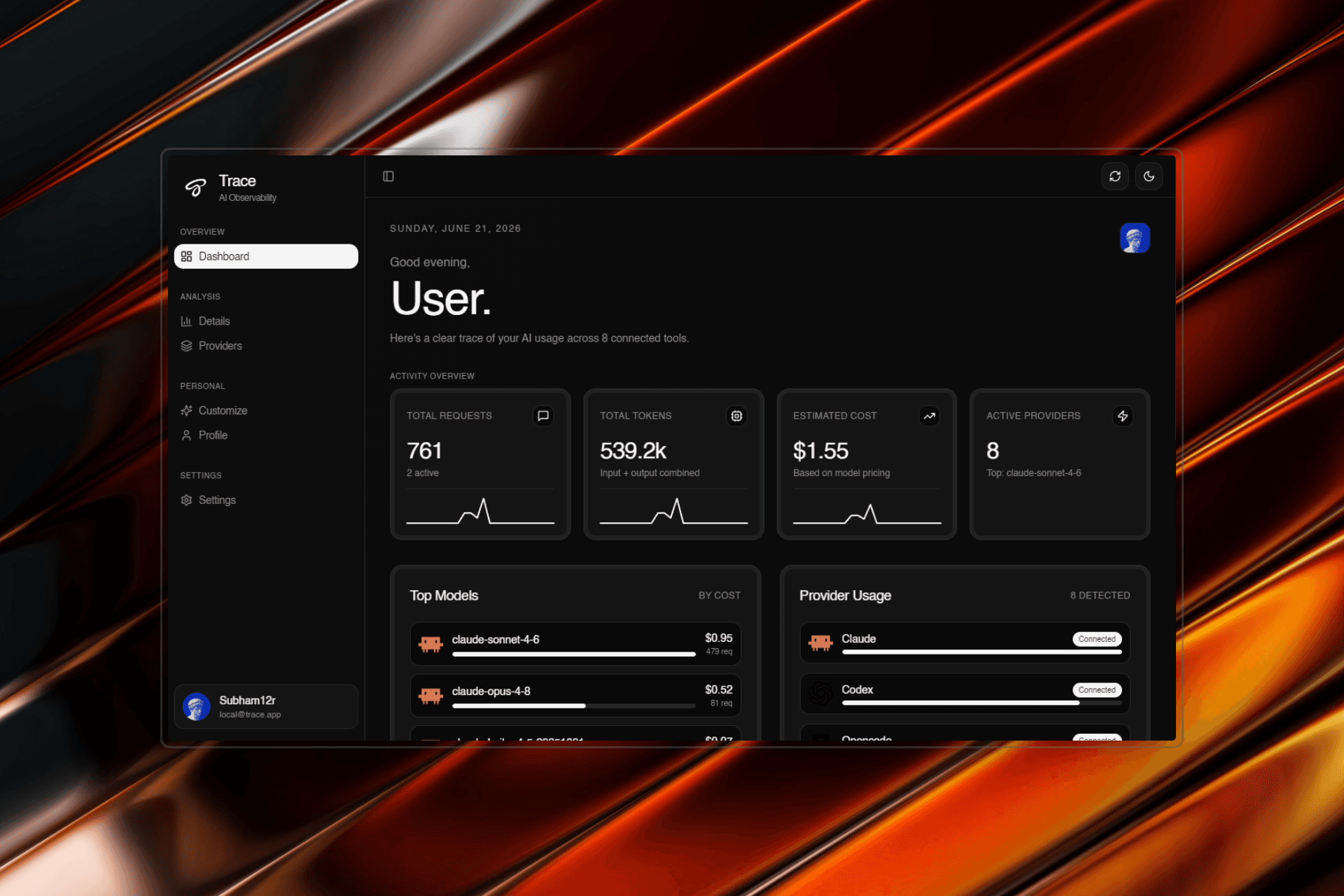
Trace reads local logs in real time and gives you unified visibility across token usage, cost, and sessions — no cloud, no configuration.
Claude Code
Tracks token usage, session costs, and conversation history from your ~/.claude/ logs in real time.

Cursor
Monitor AI completions and chat sessions across all your Cursor projects with per-session breakdowns.

Codex CLI
Parse OpenAI Codex sessions from ~/.codex/ to track API consumption and cost per task.

OpenCode
Real-time session monitoring from ~/.local/share/opencode/ — usage, cost, and active state.

Gemini CLI
Aggregate Gemini CLI usage from ~/.gemini/tmp/ and surface a full cost picture across sessions.

Ollama
Track local model usage and inference across all your Ollama sessions without any configuration.

Supported tools & providers
Claude CodeCursorOpenAIOpenCodeGemini GitHubOllama
 Anthropic
 Google
 Perplexity
 Meta
Meta HuggingFace
 DeepSeek
 xAI
xAI Mistral
 Qwen
Qwen Kimi
Kimi Gemma
Gemma Claude
 Maincode
 Factory
 Kilo
KiloHave any suggestions or want to contribute? Lets me know ...
The product is completely open source. Check out the repo and drop a star to show your support.
Star on GitHub—No. Your API keys and AI tool logs never leave your machine — they're read and stored locally. The only thing Trace syncs to the cloud is your account data, so your dashboard stays consistent across platforms.
No. The installed app bundles everything it needs, including the local server. Just download, open, and Trace starts watching your logs.
Claude Code, Cursor, Codex, OpenCode, and Gemini CLI today, with Copilot CLI and Ollama on the way. All log paths are configurable via environment variables.
A background watcher scans known CLI log directories every few seconds, parses them (JSON, JSONL, SQLite), and aggregates token counts and estimated costs into a unified dashboard.
Trace is free and MIT-licensed. Download it for macOS (Apple Silicon) or Windows — Linux support is coming soon.